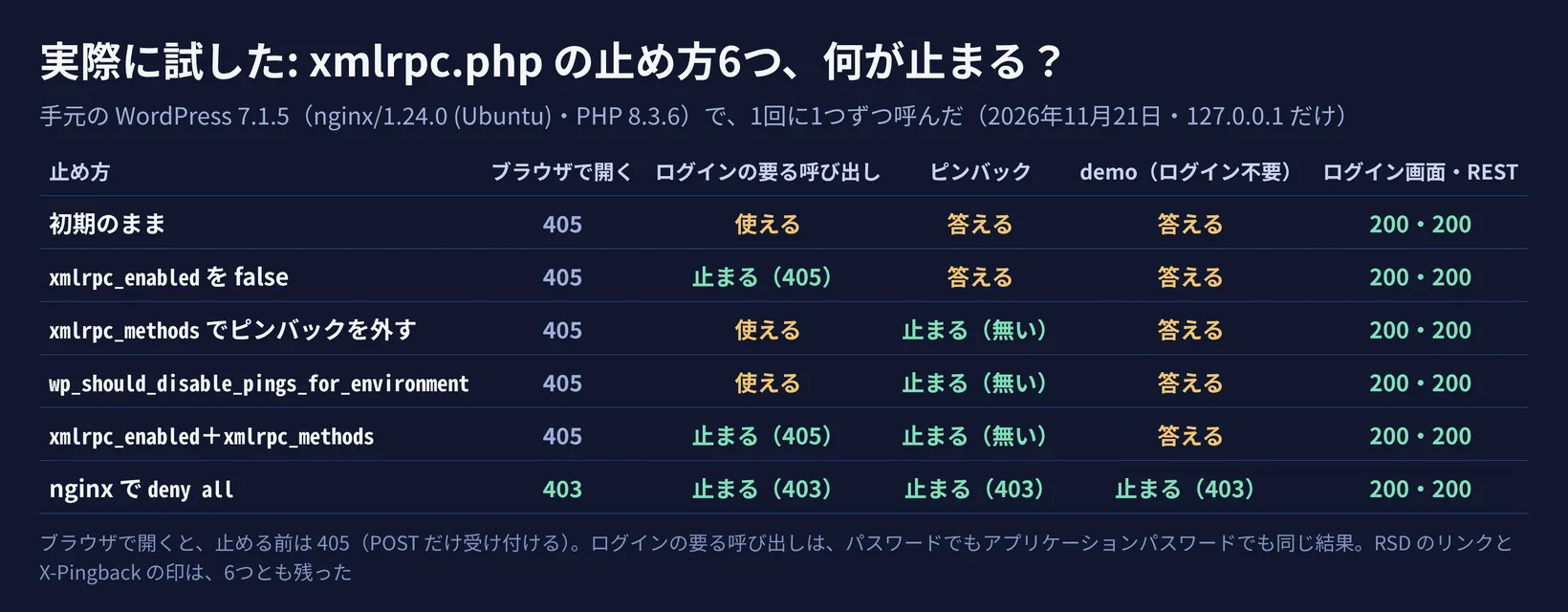
6つのどれでも、ログイン画面と REST API は動きました。 xmlrpc.php を 403 にしたまま、ブロックエディターで下書きを保存できました
1. xmlrpc.php は何のため? 公式の文書で確かめた
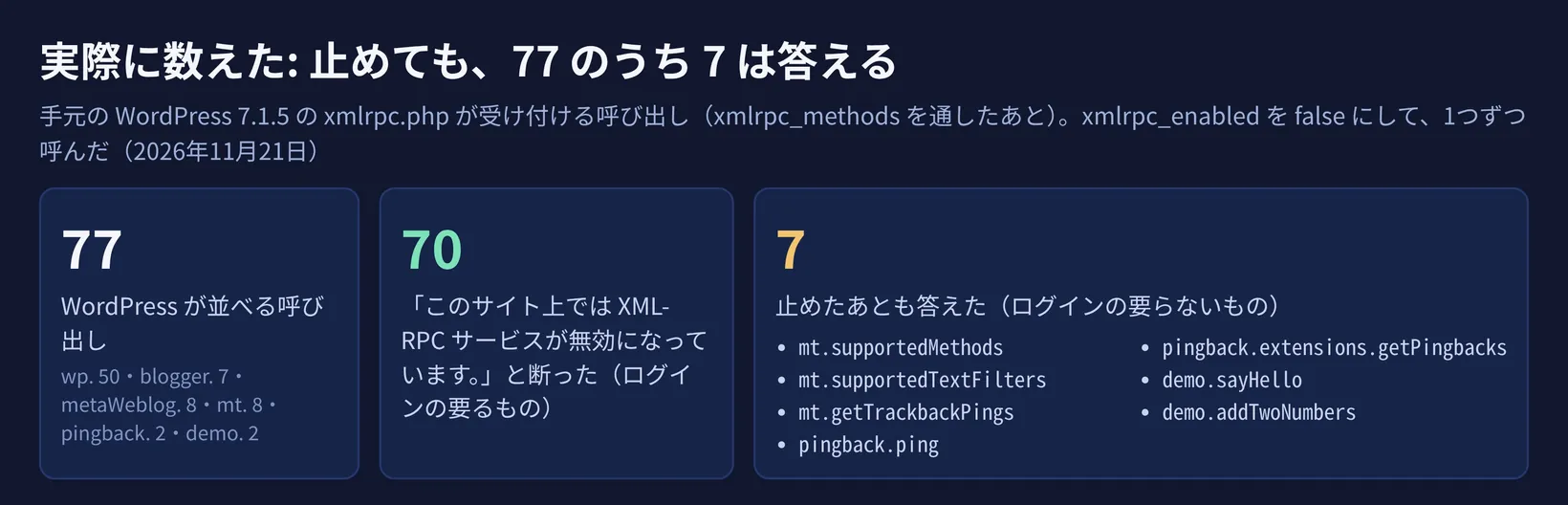
XML-RPC は、WordPress の外のプログラムが、投稿・画像・コメント・設定などを読み書きするための仕組みです。WordPress の Common APIs Handbook は、「XML-RPC API that supersedes the legacy Blogger, MovableType, and metaWeblog APIs.」と説明しています。昔のブログの仕組み(Blogger・MovableType・metaWeblog)の呼び出しも、今の WordPress の xmlrpc.php が受け付けます。
ピンバックについて、HelpHub は「Person A’s blog receives the pingback, then automatically goes to Person B’s post to confirm that the pingback did, in fact, originate there.」と書いています。通知を受けた WordPress は、本当にリンクしているかを確かめるために、相手のページを取りに行きます。
XML-RPC には、2段階認証や画像認証のような、人が答える画面を出せません。アプリケーションパスワードの公式の手引き(Make WordPress Core)は、XML-RPC について「where there is no ability to include an interactive prompt」と書いています。そのうえで、こうした使い道をアプリケーションパスワードが受け持つので、ふだんのログイン画面に2段階認証などを足しやすくなる、と説明しています。手引きによると、アプリケーションパスワードは XML-RPC でもふつうのパスワードの代わりに使えます(「To use a generated application password with the legacy XML-RPC API, you can just use it directly in lieu of the account’s real password.」)。
公式の手引き: 使わないなら止める、使うなら絞る
WordPress の Advanced Administration Handbook の「Brute Force Attacks」(2026年10月14日更新)は、ログインの総当たりへの守りの要点の1つに XML-RPC を挙げています。
WordPress Advanced Administration Handbook「Brute Force Attacks」(英語)
同じページの XML-RPC の節は、xmlrpc.php が総当たりでよく狙われると書いたうえで、「If you don’t use XML‑RPC, disable it.」「If you do (e.g., Jetpack, mobile apps), restrict it (WAF rules) and rate‑limit aggressively.」としています。使っていないなら止める。Jetpack やスマホのアプリで使っているなら、WAF のルールで絞り、回数を強く制限する、ということです。
原文は「Jetpack depends on the XML-RPC connection in WordPress.」です。止めるプラグインを使うなら、Jetpack の IP アドレスからの要求は通すように設定する、と書いています。同じページには、海外のホスティングの Flywheel・Pantheon・WP Engine(2022年4月より後に作った環境)が、初めから xmlrpc.php を止めている、という注意もあります。
これは、xmlrpc.php が動いている印です。Jetpack のページも、自分のサイトの xmlrpc.php をブラウザで開いて確かめる方法を書いていて、「That page should return the following message: XML-RPC server accepts POST requests only.」とあります。
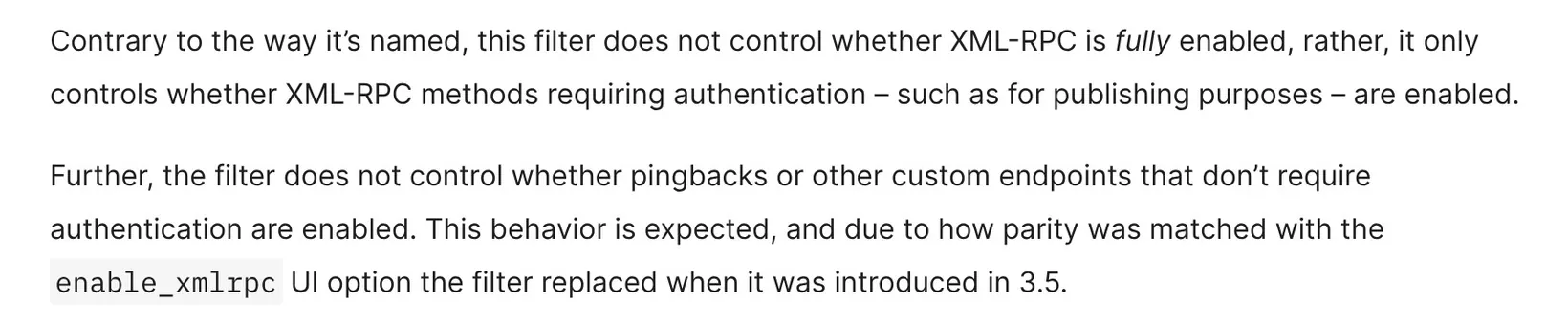
原文は「Contrary to the way it’s named, this filter does not control whether XML-RPC is fully enabled」「Further, the filter does not control whether pingbacks or other custom endpoints that don’t require authentication are enabled.」です。
xmlrpc_methods は、呼び出しの一覧そのものを変えるフィルターです。公式は「This filter can be used to add new methods, and remove built-in methods.」と書いています。ピンバックの2つを一覧から外すと、ピンバックを送っても「server error. requested method pingback.ping does not exist.」と答えるだけになりました。
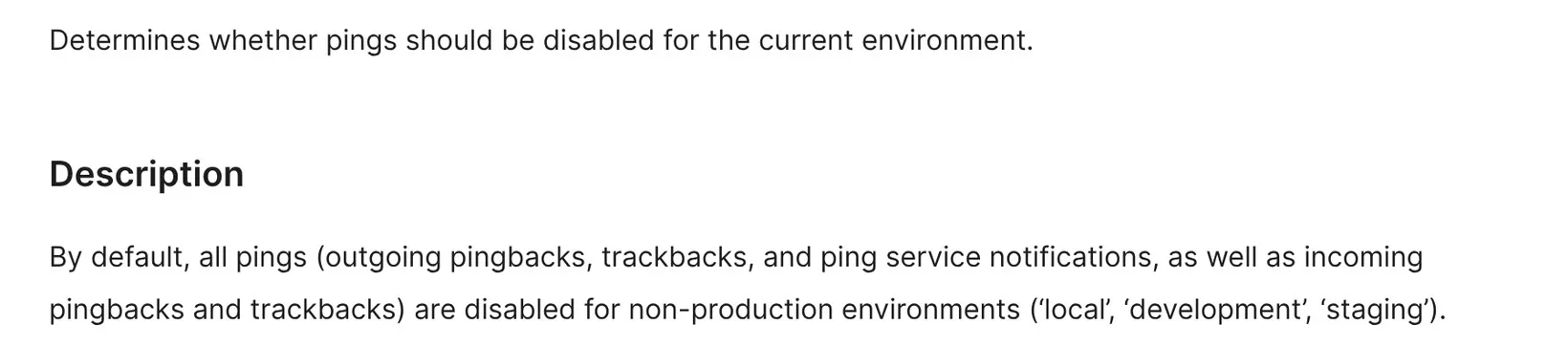
公式は「By default, all pings (outgoing pingbacks, trackbacks, and ping service notifications, as well as incoming pingbacks and trackbacks) are disabled for non-production environments」と説明しています。本番(production)では初めは動いていますが、公式の説明には「Returning true disables pings even in production.」とあり、このフィルターで true を返すと本番でも止まります。送る側のピンバックも止まります。手元でも、true にするとピンバックの入口は「無い」と答えました。環境の種類を local や staging にしたときも、何もしなくてもピンバックの入口は「無い」と答えました。環境の種類を staging などにしたテスト用のサイトでピンバックが届かないのは、この仕組みのためです。
ピンバックの設定(設定 › ディスカッションの、他のブログからの通知を受け付ける欄)は、公式の説明では記事ごとの初期値で、「These settings may be overridden for individual articles.」とあります。前からある投稿の扱いと、ピンバックの設定ごとの違いは、WordPressを更新しても直らない脆弱性? サーバーの部品Brotli で試しています。







 【今すぐ
 【実際に
 海外からの